
What is Blackboard?
Blackboard (previously Blackboard Learn, Blackboard Learn Ultra, and the Blackboard Learning Management System) is a web-based virtual learning environment and learning management system developed by Blackboard. The software features course management, customizable open architecture, and a scalable design that allows integration with student information systems and authentication protocols.
How to Beautify Your Blackboard Dashboard
- Click the “Add Module” (or “Add plugins”) button in the top-left corner of the main dashboard.

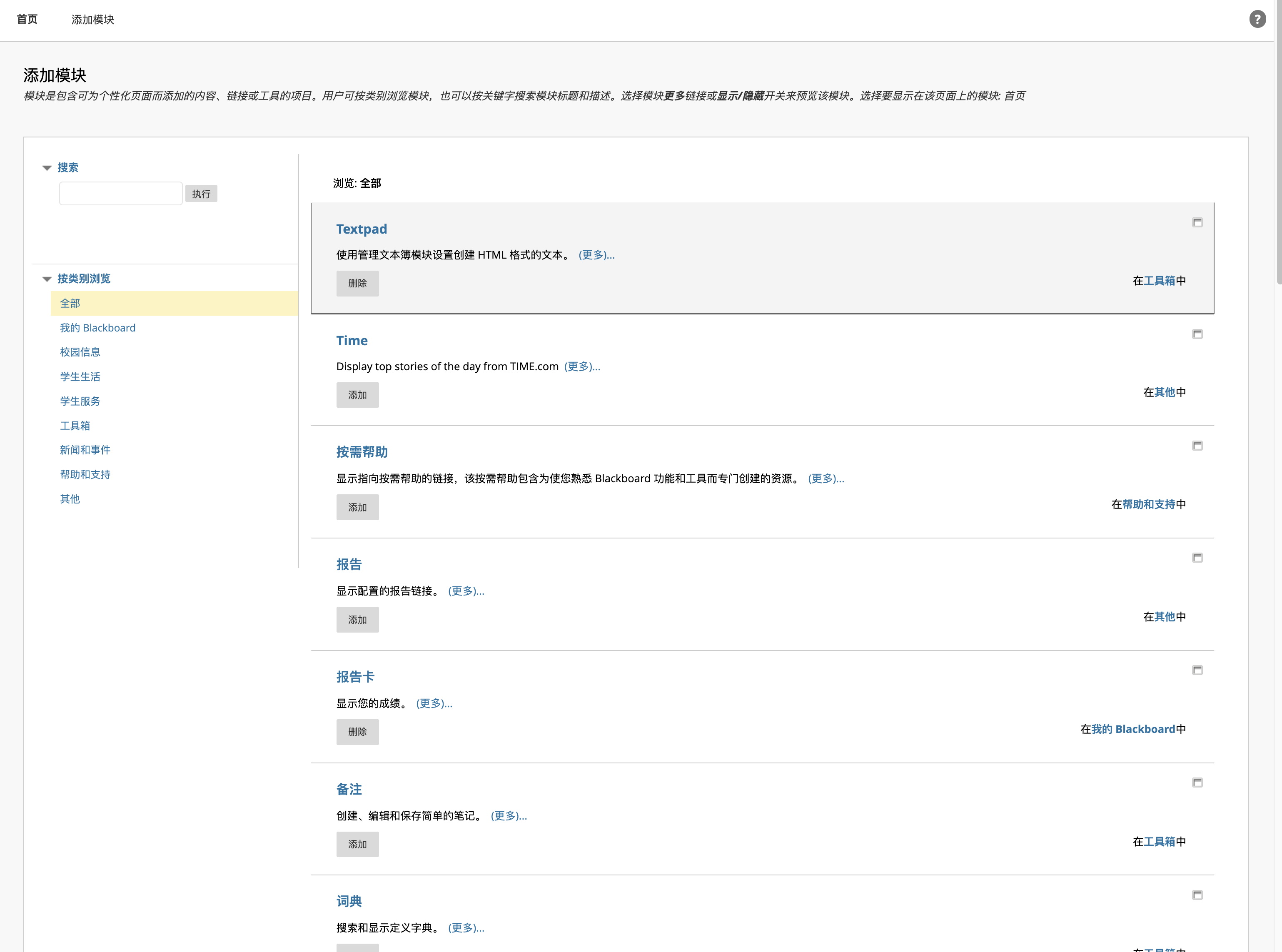
- Add your preferred modules, making sure to include the Textpad module.
- Return to the main dashboard and click the Settings (gear) icon in the top-right corner of the Textpad module.

- Insert your HTML code.
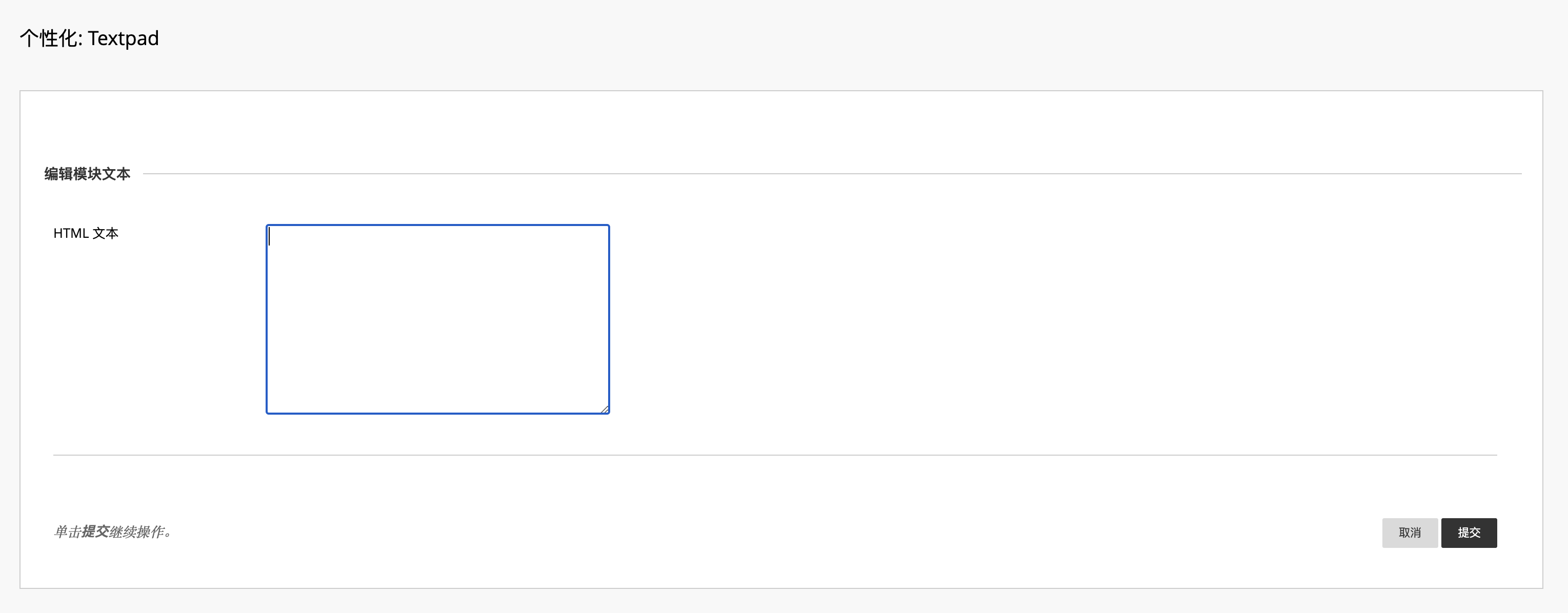
If you aren’t familiar with HTML, you can use my demo template:
<!DOCTYPE html><html lang="en"><head> <meta charset="UTF-8"> <meta name="viewport" content="width=device-width, initial-scale=1.0"> <title>Image Gallery</title></head><body> <header> <h1>My Image Gallery</h1> </header> <section> <h2>Featured Image</h2> <img src="YOUR_IMAGE_URL" alt="Description of the first image" width="500"> </section></body></html>NOTERemember to replace the image link with your favorite pictures, or you can use the following APIs to generate random pictures dynamically. You can then scale your pictures to the perfect size by adjusting the
widthattribute.
Random Picture APIs
Loliapi
https://www.loliapi.com/acgFor more information, visit the https://www.loliapi.com.
Yifan’s API
https://beuatifyblackboard.azurewebsites.net/generate-imageThis is a tiny WebApp hosted on Azure and powered by Flask, which integrates picture and text content. Due to Azure’s free tier usage limits, please do not use this heavily. However, you can easily build a similar API yourself!
Build Your Own API
Since Blackboard uses HTTPS, your custom API must also support HTTPS, otherwise, your browser will block the mixed content request.
Summary
In short, using the Textpad is a clever and native way to beautify our Blackboard dashboard. The biggest advantage is that it does not require injecting any external JavaScript or installing browser extensions, which guarantees maximum security and compatibility.